How do I delete a cluster when getting subnet deletion errors?
Last updated: February 22, 2025
Context
When attempting to delete a Qovery cluster, you may encounter dependency violation errors (DependencyViolation) indicating that certain items cannot be deleted due to existing dependencies. This typically happens when there are resources using the subnets that were not deployed or managed by Qovery.
DeleteError - Unknown error while performing Terraform command (`terraform destroy -lock=false -no-color -auto-approve`), here is the error:

Error: deleting EC2 Subnet (subnet-xxx): operation error EC2: DeleteSubnet, https response error StatusCode: 400, RequestID: xxx, api error DependencyViolation: The subnet 'subnet-xxx' has dependencies and cannot be deleted.
Answer
To resolve subnet deletion errors and successfully delete your cluster, follow these steps:
Log in to your cloud provider console
Navigate to the VPC section (or the section where deletion items are in failure)
Attempt to delete the items (here: subnet) that is failing. This will trigger a notification showing the blocking elements
Review the items (here: Network interfaces) that are blocking the deletion:
Check the Interface Type and Description for each blocking resource
Verify that these resources are safe to delete and not being used by any critical services
Delete the identified blocking network interfaces if they are no longer needed
Return to Qovery and retry the cluster deletion process
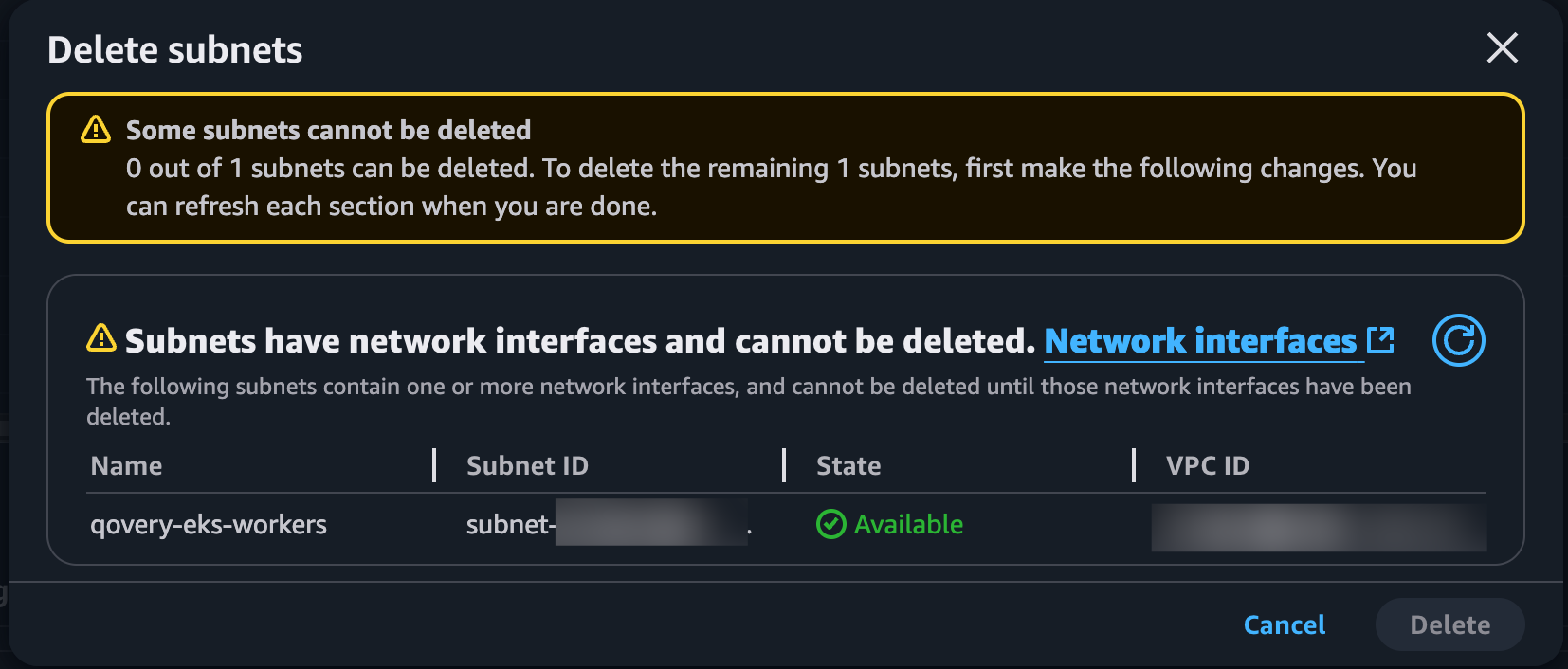

Before deleting any network interfaces, ensure they are not associated with critical services or production resources.