How do I find static IP addresses for my cluster?
Last updated: February 17, 2025
Context
When enabling status IPs during your Qovery cluster installation, you may need to provide your cluster's static IP addresses for whitelisting purposes. These IP addresses can be found in your AWS console.
Answer
To find your cluster's static IP addresses in AWS:
Log into your AWS account
Search for "VPC" in the AWS services search bar
In the VPC dashboard, navigate to the "Elastic IPs" section
Here you will see a list of your allocated IPv4 addresses along with their details such as allocation IDs and associated resources
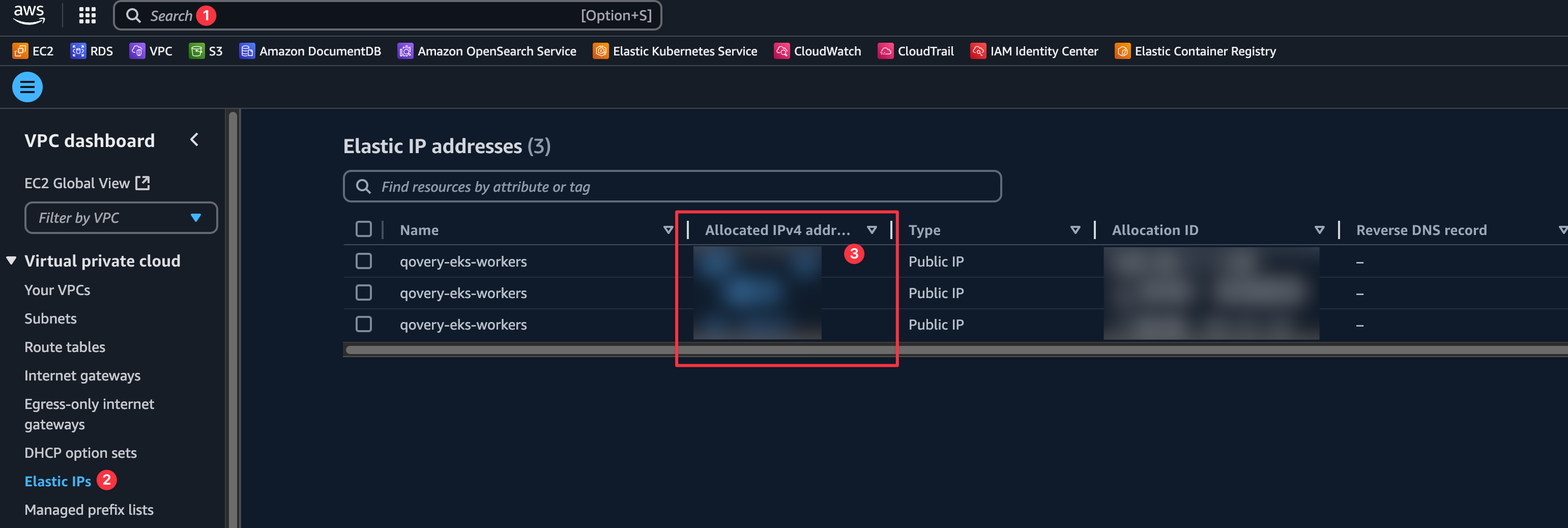
These Elastic IP addresses are the static IPs that you can provide for whitelisting purposes.